It is now easier to find, read and remember your favorite non-fiction books on ReadinGraphics, with the new tools designed for readers who put what they learn to use
Here are some upgrades to explore:
1. You can now catch the big idea in under 2 minutes.
Want to learn what a book covers in just a few lines?
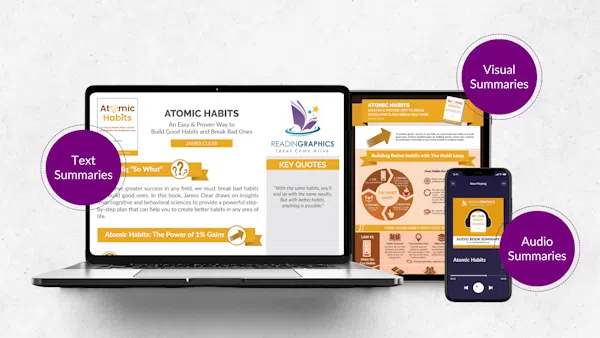
This is now possible with our new Executive Summaries. Most titles in our library now have an additional text overview that gives you the core idea, why it matters, and what to do with it. Enough to give you a 2-minute overview. So you can decide whether to jump to the infographic to see how the ideas connect, or go deeper into the text and audio.
So next time you have a big meeting or coaching session, or when you’re just looking for something new to learn, you can now browse through the big summary ideas quickly in the moment. That’s exactly what these short book summaries are for: digesting complex ideas with just a small bit of text.
And once you’re done, you’ll know exactly whether the full book summary is worth your time. Go deeper with your learning, or move on to what’s next.
These executive summaries are now available on both the mobile app and the website.
“It’s not about finding the book, but about finding the process, or framework, or idea.”
Gustavo S, Founder & MD, Capability Building
2. You can now listen anywhere, uninterrupted and pick up where you left off.
Ever been listening to audio summaries on commute, but then the audio cut out entirely when you had to switch to another app?
That’s frustrating, and we’ve addressed it. With background playback now built in, the audio continues even when you switch to another mobile app or lock your screen, exactly where you left off. Resume from where you stopped, control your playback speed, and navigate without looking at your phone. Twenty minutes in the car is enough to finish a full summary.
We’ve also included some other useful features on the mobile app for your listening experience: speed control, and a persistent playbar so you can keep perusing our other audio summaries for your next read while listening to your current one. In short, listen anywhere, uninterrupted and pick up exactly where you left off, on any device.
Get 15% OFF on unlimited downloads with an annual subscription →
3. You can now move seamlessly to the next great read.
Enjoyed a good summary, but unsure what to read next? We’ve heard the requests to help readers find the most helpful books to read next, and our editors have been hard at work to curate the best book recommendations.
Introducing the Next Reads feature: The moment you finish a title, you’ll see 4 recommended book summaries, covering the most similar books for you to go deeper into a topic, or a related read to expand your knowledge in an adjacent area or application.
Jacob, a monthly subscriber who coaches leadership teams, asked us for exactly this. No scrolling, no guesswork. One tap and you’re already into the next one.
Most books now have a next reads list on both the mobile app and the website.
4. You can now organize your library your preferred way.
Want to keep track of what you’re reading, or find the right books at the right time?
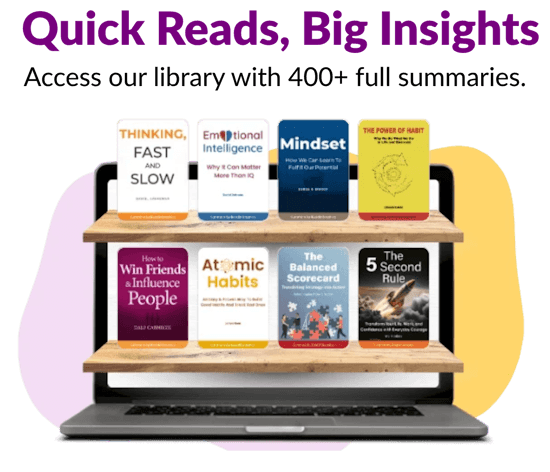
Shelves help you to do just that. The shelves let you organize your book summaries by topic, by project, by reading status… by whatever makes sense to you.
One subscriber asked us for ‘a visual library by topic, all the books I’ve downloaded in one place.’
That’s exactly what Shelves does. Your reading history becomes a system you built yourself, organized the you think about it, and carried across both the mobile app and website.
Whether you’re organizing a business plan, preparing for a job interview, or pulling resources for a client presentation, your Shelves are there. You’ll boost your productivity when the books you need to get things done are just within your reach.
You can start organizing your books in different Shelves both the mobile app and the website.
Get 15% OFF on unlimited downloads with an annual subscription →
5. You can now find any title faster, right when you need it.
Looking for a particular book in our library but still can’t find it? You’ll now experience an improved search so you get to your favorite books faster and easier.
Try it out for yourself in your next search!
6. You can now access all your purchases in one place.
If you’ve been with us for a while, you may have started your journey with ReadinGraphics with one-time book summaries and flexi plans to eventually grow with us with a full subscription.
We know that along the way, that meant logging in and finding your titles scattered across different access points depending on how you got them. That’s not the experience you deserve after building a library with us.
Everything you’ve ever accessed on ReadinGraphics — every Flexi title, every subscription summary — is now unified in one library view. All of it, in one place, exactly where you’d expect it to be.
The ReadinGraphics App Version 1.5 Is Ready. Go Try It
You intended to read more. It’s now easier to do so with the improved app. And it’s waiting for you.
Already a subscriber? Log in and see what changed →
Want full access? Subscribe and start exploring →
Download the app below: